PPAG 101: Herbicide Resistances
Before harvest season, there is a great window of opportunity to learn about your fields and how to get the most ouf of them next year. By scouting your fields, tracking spray applications, and analyzing past results, you can discover if your trouble weeds are growing resistant to your favorite herbicides.
Herbicide resistant weeds will increase input cost, decrease crop health, and ultimately lower your margins.
This article will show you how to track Herbicide Resistance within the Pro Power Ag software.
Disclaimer: The examples provided here are from the latest Pro Power Ag web app, but all the same features are available on our mobile app available on the iOS App Store!
Adding Herbicide Resistance
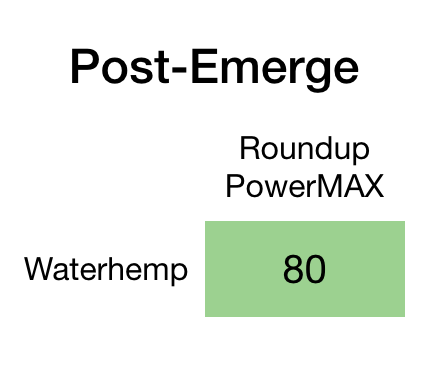
At the time of publishing this article. A Glyphosate herbicide like Roundup Powermax has good control on post-emerge waterhemp. However, lets say that we have been observing less-than-good control for waterhemp in our fields.
It is important to note that this article does not imply opinion, bias, or influence from any external parties. The information presented is intended to be purely informational and does not reflect any opinions of Pro Power Ag towards any products or companies mentioned within.
How to:
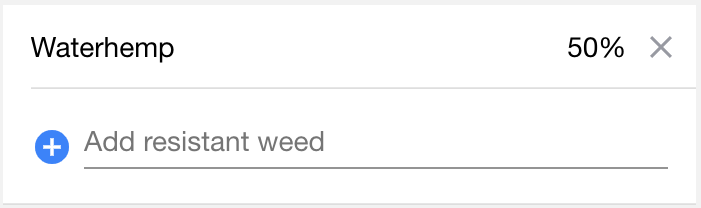
In the Chemicals Tab, navigate to the chemical you would like to add a resistant weed to. In this case, we are targeting Roundup Powermax. Once you are viewing your desired herbicide, adding a resistance is as simple. Find your desired weed, and move the slider to relfect the relative effectiveness!
In this hypothetical scenario, we are saying that this chemical is only 50% as effective against waterhemp.
Before |
After |
 |
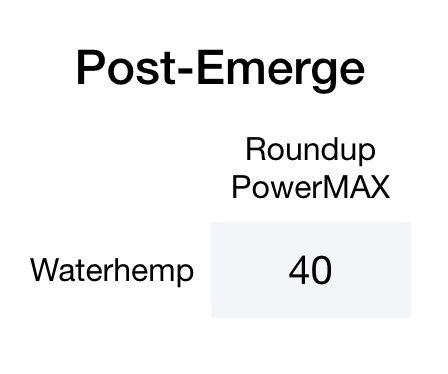 |
After making this simple change, anywhere a resistance is marked, the performance will now show a lower effectiveness throughout the application, allowing you to intuitively track and manage your herbicide resistances!